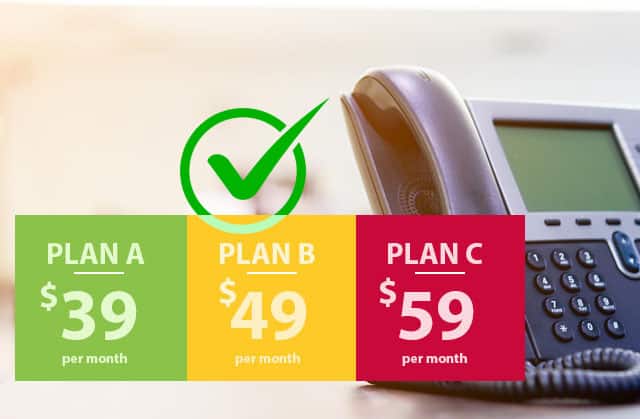

There’s no single fixed price for a cloud-based phone system. Costs depend on the plan, equipment, calling needs and features your business chooses. Flexible business phone solutions also vary in how easily you can add users or adjust call handling as your team changes. Compare the full setup and ongoing costs, not just a headline price.
It’s reasonable to want clear costs before choosing a system, especially when staff need to take business calls in the office and on the move. To compare options, consider mobile use, online management tools, plan flexibility and support alongside pricing. This gives you a practical way to assess how a cloud phone system could fit your business.
Key Takeaways
- Assess the full cost structure by considering the plan, equipment, call requirements and features your business needs.
- Look at how online management tools could simplify call handling and give your team clearer control over routing.
- Decide how staff will handle business calls on the move without relying solely on personal mobiles.
- Consider how easily a plan can adapt as your team changes, and what support will help keep day-to-day calling manageable.
How much should a cloud-based phone system cost?
Reliable business VoIP in Australia depends on a stable internet connection and a network that can carry calls alongside other work. No single connection speed suits every office: requirements depend on simultaneous calls, video meetings and other network traffic. A suitable setup prioritises voice traffic, uses wired connections where practical and performs consistently during busy periods.
There isn’t one standard cost for a cloud-hosted phone system. The price depends on the case and is given after a quote request; key factors include the number of users, hardware, calling needs and selected features. Separate subscription, equipment, installation and optional charges can affect the total, so compare the complete setup rather than one line item.
Cloud-based business phone systems commonly use VoIP, which carries calls over an internet connection. Hosted PBX is a cloud-managed phone system: its call-handling functions run online rather than on equipment maintained at each office. Staff can make calls and send messages using compatible devices, helping keep communications connected across work locations.
Cloud PABX can manage calls across multiple sites without requiring phone-system hardware at every location. For example, a business with offices in Sydney and Brisbane could use shared call handling, depending on its chosen system. This can reduce the need to manage separate phone setups, while users, features and equipment still shape the cost.
Reliability depends on more than the cloud platform. Local internet performance, network congestion, power and staff devices can all affect calls. A stable connection helps teams stay connected, but no system can prevent every service interruption. Consider how faults are handled and what happens to incoming calls if the office connection is unavailable.
For a practical comparison, map the setup to your working day: how many people need calling access, where they work and which features they use. A small office with desk phones may need different equipment from a hybrid team using mobiles. Matching these requirements to the plan helps you assess cost, efficiency and room to adapt.
Online management portals and call analytics
For Australian small businesses, useful features include online call controls, routing options and activity reports. These tools can help managers handle communications across office and hybrid teams without relying on a single desk phone.
A management portal brings call settings together in one platform. Look for options to update greetings, adjust routing and manage user access. Call analytics may show answered and missed calls, call volumes or waiting patterns. For example, a manager could use a busy-period report to review whether calls reach available staff. The information available varies by system.
Deployment and centralised management
Centralised management means configuring phone services and user settings through one online portal instead of on each device. This can simplify changes when a business adds staff or updates how calls are directed. An administrator might adjust a team’s call flow once, rather than separately changing desk phones and laptops. Check which settings the portal lets you control.
Managing dispersed teams and devices
For dispersed teams, management features can help maintain consistent calling arrangements across different locations. Virtual call routing can direct calls between sites, while centralised device management can apply configurations and policies across devices. This is useful for hybrid work, when employees use different devices or networks and inconsistent settings can slow communications.
Choose reports that answer practical questions, such as when calls go unanswered or which team handles a queue. Analytics should support decisions, not overwhelm staff with data. For instance, a practice manager could review call patterns before changing reception coverage. Set clear access permissions so staff see only the information they need for their roles.
Consider compliance and risk when selecting a platform. Call records and user details can be sensitive, so review how access is controlled, what information is retained and how account changes are managed. Choose a system with controls administrators can understand. Document who can change routing or view reports, and include those responsibilities in your communications procedures.
Can I use my mobile as part of my office phone system?
Yes. A cloud-based phone system can let staff handle business calls on mobiles as well as office devices. Choose a setup based on call demand, staff roles and where calls need to reach your team.
Mobile use and team mobility
To size the system, consider how many people need access and how calls arrive during busy periods. A small team handling occasional enquiries may need a different setup from reception staff managing a steady flow. Count users separately from handsets, then decide which roles need a mobile, desk phone or both.
Costs, scalability and reliability
Scalability means adjusting user access and call handling as your team changes. Costs depend on the plan, equipment, calling needs and features, so match each element to how staff work. Reliability also depends on internet performance and the local network. Congestion or unstable connections can affect calls, particularly when staff share connectivity with other work.
Keeping or porting existing numbers
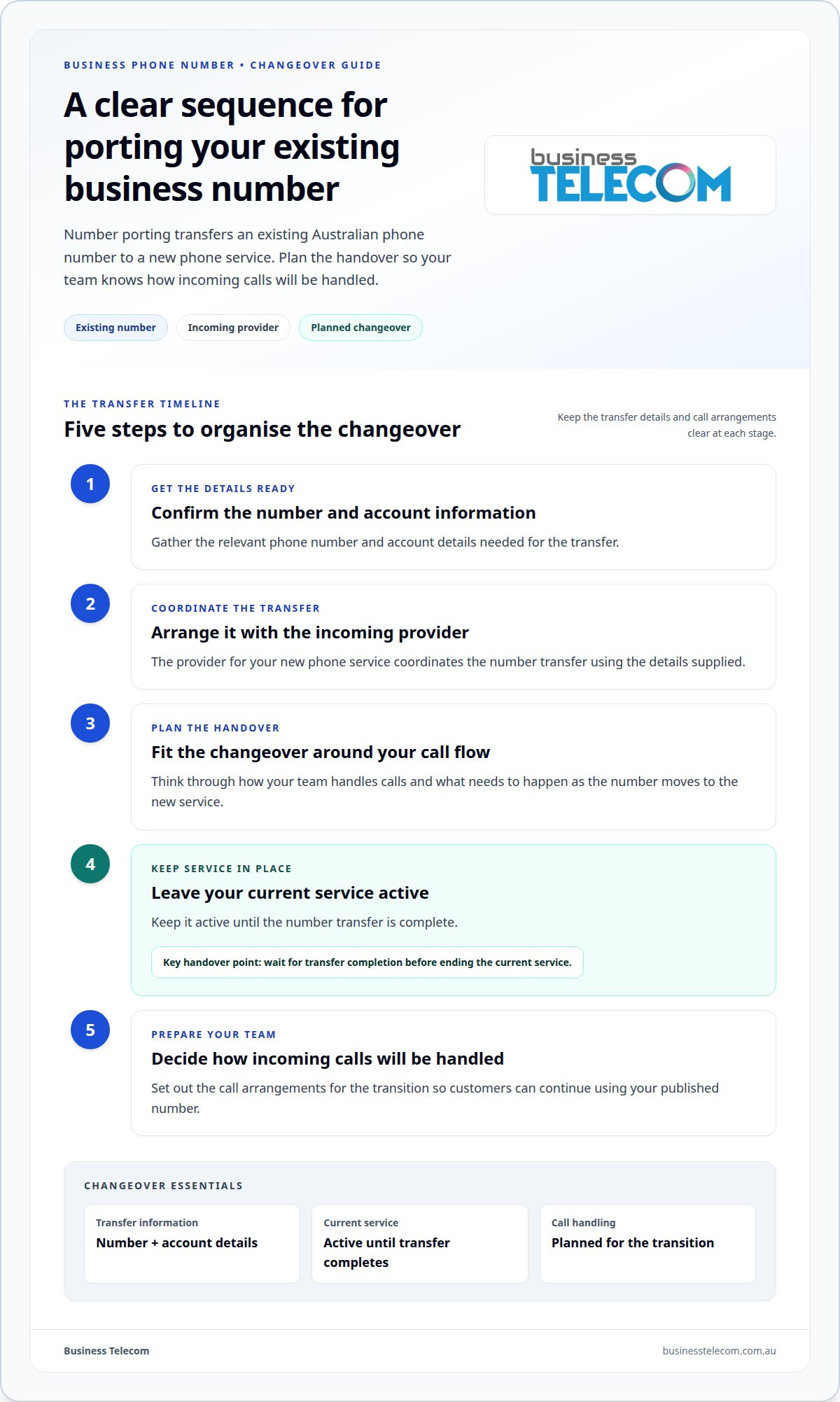
Number porting transfers an existing Australian phone number to a new phone service. Arrange the transfer with the incoming provider and supply the relevant account and number details. Plan the changeover around your call flow, and keep the current service active until the transfer is complete. Decide how staff will handle incoming calls during the transition so customers can continue using your published number.
Plan flexibility, costs and support
A flexible phone plan should suit how your team works now and adapt as roles or call patterns change. For example, adding a remote employee may mean adding a user, while a quieter period could call for fewer active users. Check how plan changes affect billing, included features and equipment already in use.
System pricing depends on the setup and is provided after a quote request; key factors include users, hardware, calling needs, features and support. Compare the full cost structure, including recurring charges, equipment, installation and optional features. A low headline rate may not reflect what your business communication setup requires, such as voicemail or mobile access.
Plan flexibility also means understanding what happens when your business changes. If your team grows, can you adjust user access without replacing every handset? If staff move between the office and home, can the call flow keep them connected? These details shape day-to-day collaboration and help avoid paying for features your team doesn’t use.
Support matters when call routing, voicemail or user settings need attention. Review the support channels, operating hours, fault process and responsibilities for account changes. For instance, if a team cannot receive calls after a network change, clear escalation steps help staff know what to do next. Good support information explains the process without promising uninterrupted service.
For remote and hybrid teams, consider whether the plan supports the devices and working patterns people actually use. A consistent experience depends on suitable connectivity and clear call-handling arrangements, not simply a mobile app. Map key needs, such as shared voicemail or transferring calls between colleagues, before comparing plans. This gives you a practical basis for assessing flexibility and value.
Business Telecom’s business phone system options can be a next step when you’re weighing plan structure, equipment and calling needs for your team.
Business Telecom
Business Telecom helps businesses assess phone system options based on their team, call handling and working arrangements. For a Gold Coast business supporting staff in an office and at remote locations, the right setup depends on who handles calls, where they work and which devices they use.
Business Telecom provides business phone systems, business landlines, office phone systems and small business phone systems. These options provide a starting point for discussing your requirements and how your phone system can adapt as your team changes.
Contact Business Telecom to discuss a phone system for your Gold Coast business.
Set your priorities before choosing a system
Before making a change, define what better business calling needs to achieve for your customers and staff. Consider how calls should be handled during busy periods, who can adjust settings and what a smooth handover between colleagues looks like. These priorities give your business a clearer basis for assessing flexible business phone solutions instead of focusing on features that may not support day-to-day work.
It also helps to decide who will oversee the phone system internally and how your team will share feedback after changes. For example, reception staff may notice call-routing issues that aren’t obvious from a management report. A simple review process can help you spot friction early and keep the setup aligned with changing work practices.
When you’re ready to discuss your requirements and the right next step, contact Business Telecom. A clear starting point can help your business make a confident, practical decision.
Frequently Asked Questions
Is a hosted phone solution scalable for growing business?
Yes, a hosted system can adapt as your business adds users or changes how teams handle calls. For example, a growing service team may need calls directed to different staff than a single reception desk. Plan for role changes as well as headcount, so new starters and employees changing duties have appropriate access and call settings.
What equipment do I need for my business phone system?
Equipment depends on how your team will make and receive calls. A setup may use compatible desk phones, computers or mobile devices, alongside an internet connection and network equipment. For example, reception might prefer a desk phone while staff who move between rooms use computers or mobiles. Decide which devices suit each role before choosing equipment.
Can I use my existing hardware with a new hosted phone system?
Existing hardware can be reused if it’s compatible with the hosted service and can be configured for it. A desk phone that works with one system may not meet another’s requirements, so the model and configuration matter. Compatibility also determines whether the phone supports the functions your team needs, not just whether it powers on and connects.
How can business mobility solutions improve workforce productivity?
Business mobility solutions can help employees access the communication tools and information they need across their workday. Centralised device management can apply configurations and policies across a device fleet, reducing repetitive manual administration. For example, a team member moving between sites can use an appropriately configured device to stay connected to business communications without relying on separate arrangements at each location.
How do mobility solutions support remote and hybrid workers?
Mobility solutions support remote and hybrid workers by helping keep devices connected, secure and synchronised as employees move between locations. Virtual call routing can distribute calls across teams working at different sites. Consistent device settings also make it easier for staff to access the tools they need and reduce friction caused by different networks or configurations.
What types of flexible business phone solutions are available in Australia?
Australian businesses can choose traditional fixed landlines, cloud-hosted VoIP systems or arrangements that combine fixed phones with internet-based calling. Cloud VoIP carries calls over an internet connection and can support communication across multiple devices. The right option depends on where staff work, how calls are handled and whether the business needs fixed-location equipment, mobile access or both.