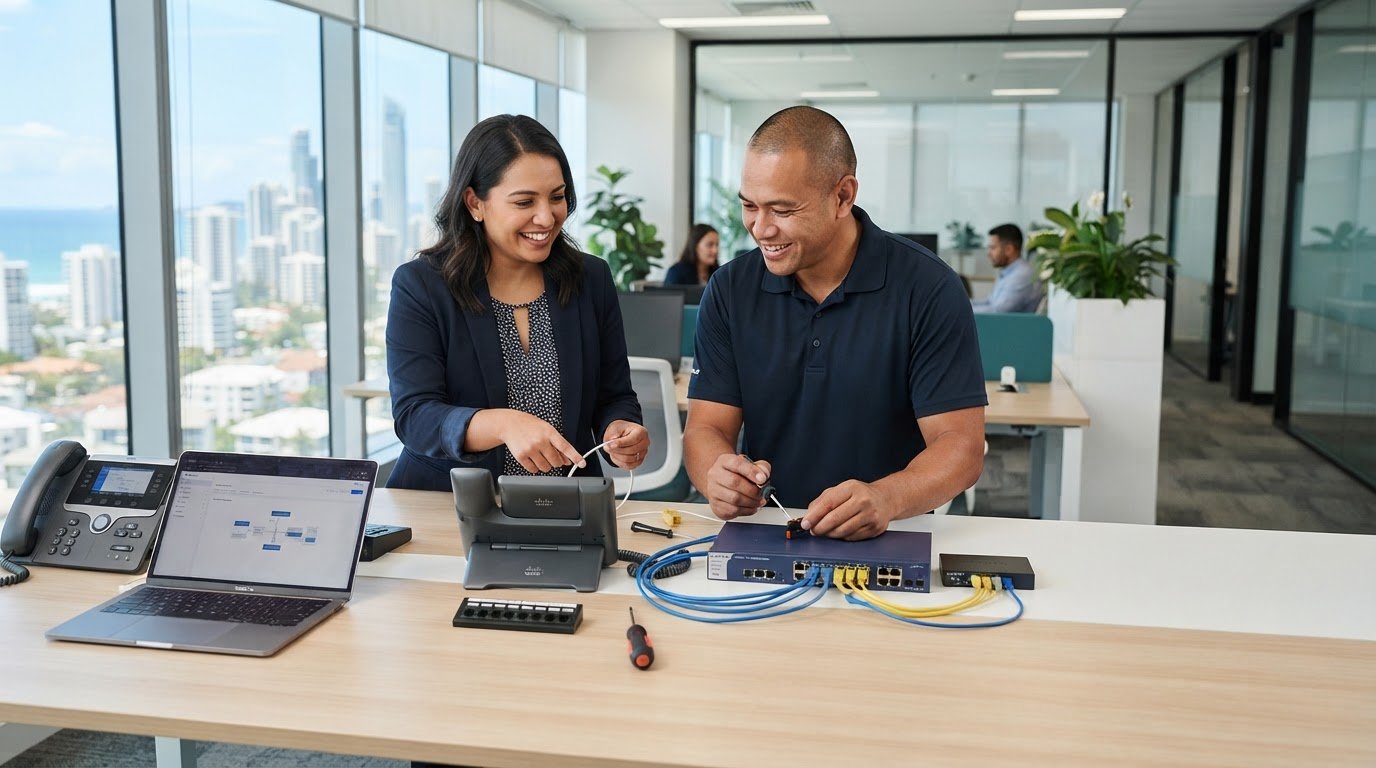
Office phone system installation on the Gold Coast involves more than connecting handsets. The setup should fit how your staff answer, transfer and return calls, and support the way your business operates. Define these requirements early to decide what the new system needs to do and how to manage the changeover.
This guide covers the key decisions to make before installation: documenting office requirements, assessing the proposed work and understanding ongoing support. It also explains how to use installer reviews alongside written proposals, so you can focus on evidence relevant to your needs. Use these points to prepare for a practical discussion about your new system.
Key Takeaways
- Plan VoIP handsets alongside the office network so call quality and device connections are considered together.
- Map how calls should reach your team, then use dial plans, menus and queues to shape a clearer caller journey.
- Compare quotes by reviewing what the proposed system includes and how ongoing support fits your business needs.
- Use customer reviews as one consideration when comparing installers, alongside their service scope and suitability for your office.
VoIP phones and networked office devices
VoIP phones carry business calls over an internet connection. For a Gold Coast office, plan the phones, network and existing numbers together so the changeover suits your team’s calling needs.
NBN internet and network requirements
Start by reviewing the office’s NBN connection and the devices sharing it. Available capacity and network congestion can affect call quality, particularly when staff are also making video calls or transferring large files.
Number porting and emergency calls
ACMA oversees Australia’s number-portability rules, which allow eligible numbers to be retained when changing providers. Providers coordinate the transfer, so list the numbers you want to keep and include porting in the migration plan.
ACMA’s emergency-call framework requires relevant providers to support access to 000. Before cutover, record the service address and understand how emergency calls work if staff use VoIP phones away from the office.
Installation timing
Installation timing depends on cabling, number transfers, equipment and call-flow configuration. An office with working network points needs different preparation from one requiring new cabling.
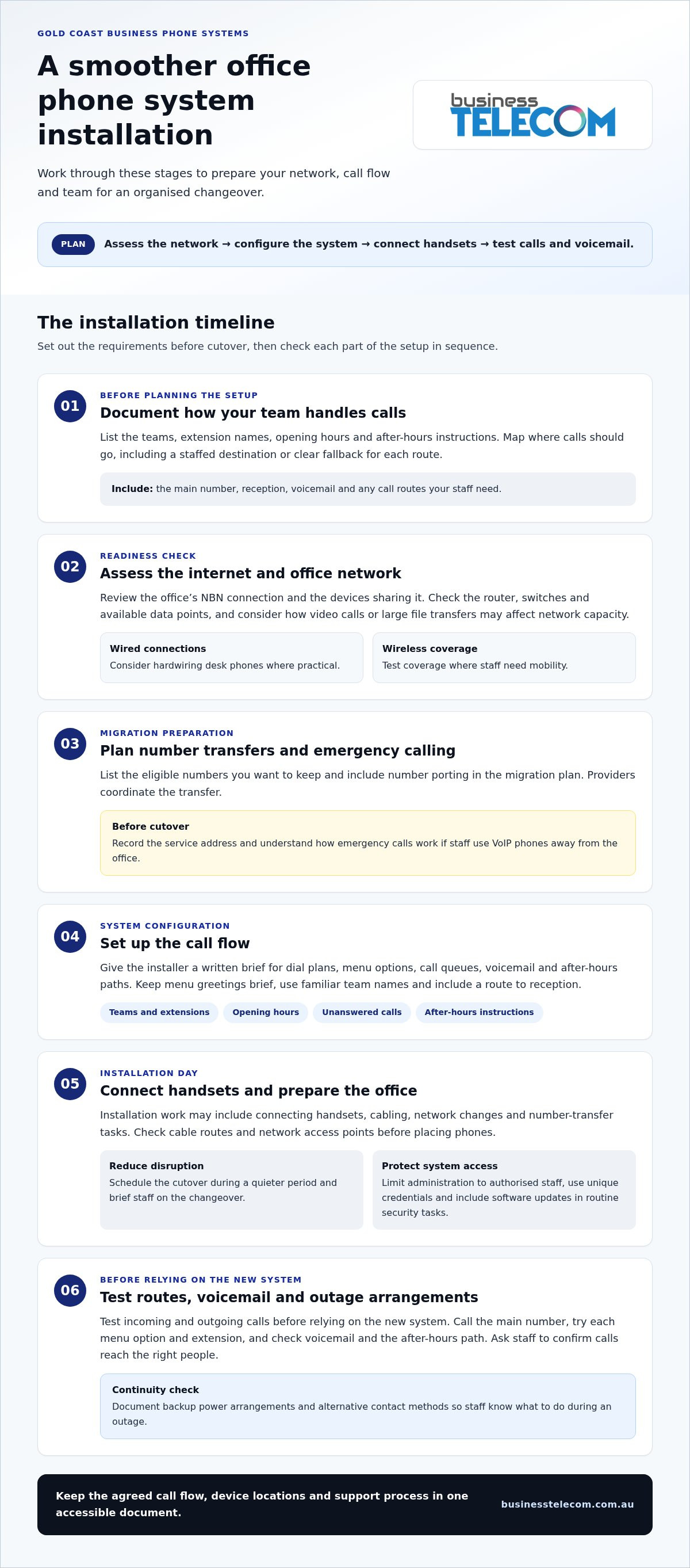
Plan the sequence: assess the network, configure the system, connect handsets, then test calls and voicemail. Include number transfers and staff access arrangements in the schedule so the changeover is organised.
Installation risks and safeguards
Changing equipment or transferring numbers can interrupt service. Schedule the cutover during a quieter period, brief staff, and test incoming and outgoing calls before relying on the new system.
Check cable routes and network access points before placing phones. Restrict system administration to authorised staff, use unique credentials and include software updates in routine security tasks.
VoIP phones and network devices need power. Document backup power arrangements and alternative contact methods in the office continuity plan, so staff know what to do during an outage.
Custom dial plans, IVR menus and call queues
A call flow determines what happens when someone calls your business. Map the caller’s route from the main number to the right team, voicemail or alternative contact point.
Dial plans and IVR menus
A dial plan sets how calls move between numbers, extensions and teams. For example, callers to a Gold Coast accounting office could select accounts, payroll or reception. Each option should lead to a staffed destination or a clear fallback.
An IVR menu, also called an auto attendant, lets callers choose an option using their phone keypad. Keep the greeting brief, use familiar team names and put the most common enquiry first. Include a route to reception for callers who need help choosing.
Before configuration, record the office’s opening hours, teams, extension names and after-hours instructions. This gives the installer a practical call-flow brief and helps staff confirm that the menu reflects how the business operates.
Call queues and caller experience
A call queue holds incoming calls until a team member is available. A Gold Coast clinic, for instance, might route appointment enquiries to reception and billing calls elsewhere. Make the next step clear for callers when staff are busy.
Decide what callers hear while waiting, where unanswered calls go and how the system handles a closed office. Options include a recorded message, voicemail or another team. Clear instructions help callers avoid a dead end.
Test every route before launch. Call the main number, select each menu option, try an extension and check the after-hours path. Ask staff to confirm that calls reach the right people and that voicemail instructions are clear.
Review the call flow when teams or responsibilities change. A short change log can record the date, updated destination and person responsible, helping keep routing instructions current. If you’re planning a business phone system, a written call-flow brief can clarify how your team needs calls handled.
Custom quotes and ongoing support
An installation quote should describe the equipment, configuration and work required for your Gold Coast office. The price depends on your requirements and is provided after a quote request. Key factors include handset numbers, call features, cabling, configuration and support. Clarify what the quote covers, who manages number transfers, how changes are handled and what support is included after setup.
What to look for in a quote
Review each line against your intended setup, not just the total. For example, a reception team’s proposal should clarify whether it includes desk phones, call-flow and voicemail configuration, staff guidance and testing. Separate included work from optional items so you can understand the scope and compare proposals consistently.
- Equipment: list handset quantities and any other included devices.
- Configuration: identify extensions, greetings, voicemail and call routing.
- Installation work: describe cabling, network changes and number-transfer tasks.
- Support: state how to report faults, request changes and receive updates.
Support after installation
Ongoing support matters when staff responsibilities change, a handset needs attention or your call flow needs updating. A useful arrangement explains how to submit a request, what information to provide and how updates are communicated. Keep system contacts and administrator details accessible to the people responsible for office communications.
Ask how the handover covers routine tasks, such as changing a voicemail greeting or updating an extension. Clarify who can authorise changes, then record the agreed call flow, device locations and support process in one accessible document.
Before choosing an installation approach, clarify who configures the system, how number transfers are managed, which network tasks are included and what support follows installation. Clear responsibilities help your team prepare for the transition.
Compare Gold Coast business phone system installers and customer reviews
Compare proposals against the same requirements, not just the headline price. For a Gold Coast office, provide the same handset count, number-transfer needs, call-flow requirements and cabling details. Then compare what each proposal includes, excludes and assigns to your team.
Customer reviews can add context about communication, setup and follow-up support. Look for specific examples, such as how an installer handled a number transfer or explained a system change. A general rating alone won’t show whether the reviewer had needs similar to your office.
Compare scope and support
Use a simple comparison checklist to assess proposals consistently. Check that each installer explains responsibilities before, during and after the changeover.
- Installation scope: compare handset setup, configuration, testing and any cabling work.
- Number transfer: check how the proposal describes the transfer process and coordination.
- Call handling: compare how the installer will configure your agreed extensions and call routes.
- Staff handover: look for instructions covering everyday tasks, such as changing voicemail greetings.
- Ongoing support: compare how to report faults, request adjustments and receive updates.
Read reviews for useful detail
Check the review date, the service described and whether the response addresses the reviewer’s concern. A comment about clear communication during setup may help you assess the project experience, while a review of another service may reveal little about phone installation.
Look for themes across several detailed reviews rather than relying on one account. Compare those comments with the written proposal: if reviewers mention a helpful handover, check whether staff guidance is included. Treat reviews as one decision input, alongside scope, support arrangements and fit with your requirements.
Before choosing, match each proposal against your checklist and note any differences that affect your office. To discuss a phone system for your Gold Coast team, contact Business Telecom.
Business Telecom: Business Phone System
Business Telecom provides business phone systems and office phone systems for Gold Coast businesses planning a new setup or replacing outdated equipment. A small team may need a straightforward arrangement for everyday calls, while a growing office may need a system that accommodates changing staff and call-handling needs.
Use the requirements gathered during planning to discuss handset needs, existing phone numbers, call flows and ongoing support with Business Telecom. A clear picture of how your team handles calls helps shape a suitable system and identify practical installation considerations.
Planning an office phone system installation on the Gold Coast? Contact Business Telecom to discuss your requirements.
Make your next phone system decision practical
Before moving ahead with an office phone system installation on the Gold Coast, turn your requirements into a short decision brief. Identify who will manage the change internally, which staff should contribute and how your team will judge whether the setup supports daily work. This keeps the discussion focused on business needs, not just equipment.
Ask the people who answer calls to describe common caller needs and any awkward handovers. Their input can help shape a setup that fits actual office routines. Once your priorities are clear, you’ll be better prepared to discuss suitable options and next steps with Business Telecom.
Contact Business Telecom to discuss your setup and move forward with a clear plan for your Gold Coast office.
Frequently Asked Questions
Which office phone system installation providers serve the Gold Coast, Queensland?
Business Telecom provides business phone systems and office phone systems for Gold Coast businesses. Before discussing options, prepare a brief covering which staff need calls, which existing numbers to retain, and whether reception or teams need separate lines. This helps align the proposed setup with daily call responsibilities and your office’s requirements when requesting a quote.
What types of office phone systems suit small businesses in Australia: VoIP, PBX or cloud?
VoIP carries calls over an internet connection, while PBX describes a phone system that manages calls and extensions. A PBX can be hosted at the office or delivered as a cloud phone system, with the system hosted remotely. These terms describe different aspects of a setup, so compare how each option fits your internet connection, equipment preferences and call-handling needs.