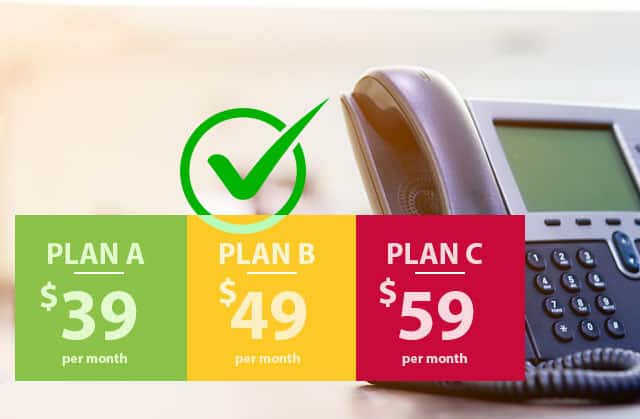

The lowest monthly quote isn’t always the best fit. For a small business, VoIP costs depend on the number of users, calling needs, phone or headset requirements and system setup. A business VoIP provider in Brisbane should explain these cost factors before you compare options. Start with what your team needs to communicate reliably, not just the headline rate.
It’s reasonable to want a clear budget before changing phone systems, especially when monthly costs depend on more than the number of users. This guide explains the main cost drivers and how cloud-hosted VoIP and a virtual PBX can support everyday business calls.
You’ll also learn what to compare, from useful calling features to security and support, to assess which setup suits your Brisbane business. The aim is a practical decision, fewer surprises and a system that can adapt as your team’s needs change.
Key Takeaways
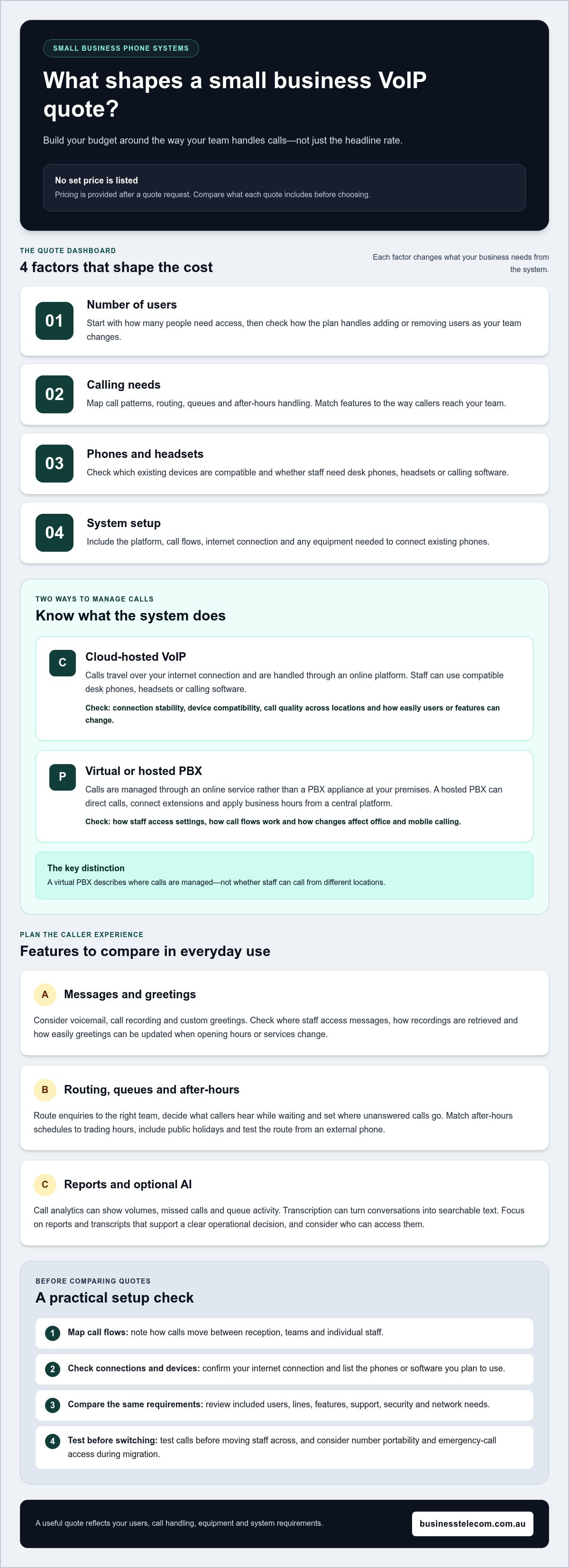
- Build your VoIP budget around user numbers, calling needs and setup requirements, then compare what each quote includes.
- Plan voicemail, call recording and greetings alongside call routing, queues and after-hours handling to suit how your team works.
- Understand how a cloud-hosted system or virtual PBX manages calls, and how easily users and features can be adjusted as needs change.
- Compare providers on practical fit, including security measures, support, call features and the way each system handles your business requirements.
How Much Does a Small Business VoIP System Cost?
A VoIP quote depends on user requirements, calling patterns, hardware and selected features; pricing is provided after a quote request. In Australia, telecommunications regulation covers number portability and emergency-call access, making both important considerations during a business phone migration.
Voicemail, Recording and Greetings
Voicemail, call recording and custom greetings shape how callers experience your phone service. A recorded greeting, for example, can direct customers to sales, while voicemail captures messages when staff can’t answer. Compare where staff can access messages, how easily they can retrieve recordings and how quickly they can update greetings when opening hours or services change. These details affect everyday call handling.
Call analytics show call volumes, missed calls and queue activity. Use reports to spot patterns, such as repeated missed calls during a busy period, then adjust routing or staffing. Queue monitoring can help supervisors see waiting callers and respond to service pressure. Focus on reports that support a clear operational decision, not dashboards that add complexity without improving call management.
AI call features may include transcription, which turns spoken conversations into searchable text. Consider whether transcripts suit your workflows, who can access them and how staff will use them. A team might review a transcript to recall a customer request without replaying an entire call. Treat AI as optional and assess its practical value before adding it to your system requirements.
Business call management can bring desktop and mobile calling together, helping staff answer on the right device. Map how calls move between reception, teams and individual staff before choosing features. A virtual system can support handovers between locations, while an upgrade should address a defined need, such as adding users or improving call visibility.
Routing, Queues and After-hours Calls
Call routing sends incoming calls to the right person or team, while queues hold callers until someone is available. For example, route sales enquiries to sales and existing customers to support. Decide what callers hear while waiting, where unanswered calls go and how staff manage transfers. These choices make routing useful in everyday operations, not just on a system diagram.
After-hours handling determines what happens when the office is closed, such as playing a recorded message or directing callers to voicemail. Set schedules to match your actual trading hours, then test the route from an external phone. Include public holidays and changes to opening times in your call plan so callers receive the right information and messages reach the appropriate team.
Cloud-hosted business VoIP and virtual PBX
A cloud-hosted phone system handles business calls through an online platform instead of relying solely on on-site equipment. Compare how it supports your staff, existing devices and call quality across your Australian operations, including in Brisbane, Sydney and the Gold Coast.
Cloud-hosted VoIP Systems
With cloud-based VoIP, calls travel over your internet connection, and staff can use compatible desk phones, headsets or calling software. A stable connection supports call quality, while the chosen device affects how each person works. A mobile employee, for example, could use a compatible app while office staff use desk phones. Map these needs before configuring the platform.
Cloud systems can let you add or remove users, features and lines as needed, making it easier to adapt the phone system when your team changes. Consider how the platform will manage calls across locations and whether it fits your current internet connection and devices.
Virtual and Hosted PBX
A virtual PBX manages calls through an online service rather than a PBX appliance at your premises. A hosted PBX can direct calls, connect extensions and apply business hours from a central platform. For example, a caller can reach reception first, then transfer to a staff member working remotely.
List the call flows your team relies on, then configure the virtual system around them. Check how users access settings and how changes affect office and mobile calling. The key distinction is where the system is managed, not whether staff can make business calls from different locations.
Hosted PBX and SIP Systems
SIP, or Session Initiation Protocol, helps establish and manage internet-based calls between compatible systems. A hosted PBX may use SIP to connect phones or other calling endpoints to its platform. Keeping traditional phones may require a VoIP gateway or analogue telephone adapter.
Before choosing this setup, note which existing devices you plan to keep and which need replacing. Match each device to the required connection. This inventory clarifies the technical setup and avoids assuming every phone is compatible.
Hosted Cloud PBX Plans
Compare hosted cloud PBX plans by included users, lines, features and support, rather than plan labels alone. For example, a small team may need straightforward extensions, while a business with distributed staff may prioritise mobile access and flexible call handling. A 1300 number can also work with a VoIP setup, giving customers a way to reach the business.
Check how each plan handles adding users or changing features as needs shift. For a practical overview of cloud phone system options, consider how the platform would fit your team’s calling requirements.
Business VoIP provider comparisons
Choose a business VoIP provider in Brisbane by matching its call features, security, support and network requirements to your team’s daily work. To set up the system, map your call flows, confirm your internet connection and compatible phones or software, then test calls before switching staff across.
Compare providers against the same practical checklist, not just headline features. Review data encryption, multi-factor authentication, regular security updates and compliance with relevant industry regulations. Also assess customer reviews, local data centres, uptime guarantees and support services. These factors help you evaluate how a hosted service handles protection, continuity and support when a calling issue arises.
Then check network and hardware compatibility. VoIP needs a stable internet connection and compatible phones, headsets or software. Keeping traditional phones requires a VoIP gateway or analogue telephone adapter. List each staff member’s device and location, then identify hardware changes needed before migration. This makes technical requirements clear early.
Compare flexibility by checking how easily you can add users, lines and features as your business changes. Assess call routing, voicemail and recording against real workflows, such as reception transferring a customer to a remote team member. Ask how support handles setup and ongoing issues, and whether your team can use analytics to monitor call activity. Advanced features add value only when staff can use them.
Use a consistent comparison sheet with columns for security, network needs, hardware, support, included features and upgrade options. Score each provider against your essential requirements, then test a representative call flow before moving every business phone. A short test can reveal audio, transfer or mobile-access problems before they disrupt normal operations.
Use these criteria to shape your shortlist and define the system your team needs. Discuss your business phone requirements as a practical next step.
Business Telecom: Business Phone System
Business Telecom provides business phone systems for companies reviewing their calling setup, replacing an older system or planning for changing team needs. Its business landlines and office and small business phone systems offer options to consider against your requirements.
Use your comparison to define the users, devices and call handling your team needs. This provides a practical starting point for discussing a phone system that fits your operations.
Contact Business Telecom to discuss your business phone requirements.
Set your phone system up for what’s next
Turn your comparison into a clear brief: note the call tasks your team needs to handle, the devices staff use and how the setup should adapt as your business changes. This gives you a practical starting point for discussing your needs with Business Telecom, a business VoIP provider serving Brisbane, Sydney and the Gold Coast.
Business Telecom provides business phone systems, business landlines and office phone systems. If you’re planning a change or reviewing your current arrangement, discuss how your requirements can shape a phone setup for your business.
Contact Business Telecom to discuss VoIP and take the next step towards a phone system that fits your operations.
Frequently Asked Questions
What are the disadvantages and advantages of VoIP services against traditional telephony?
VoIP suits businesses that want staff to handle calls across supported devices, including when working away from the office. It can also make call management more adaptable as teams change. Its main limitation is dependence on a reliable internet connection: congestion or an outage can affect calling. Traditional telephony may suit a business with straightforward fixed-phone needs and little reason to change its current setup.
What equipment is needed for business VoIP?
Business VoIP needs a stable internet connection and a compatible desk phone, headset or calling software. A receptionist might use a desk phone while another staff member calls through software on a computer. Connecting traditional phones requires a VoIP gateway or an analogue telephone adapter. Match equipment to each person’s role and usual work location.
What is VoIP?
VoIP means Voice over Internet Protocol, a way to carry voice calls over an internet connection instead of a traditional telephone network. An employee can speak to a customer using a compatible desk phone, headset or software. The device sends voice data through the network, allowing a business to make internet-based calls rather than relying only on conventional phone lines.
Why choose VoIP phones for your business?
VoIP phones can suit businesses that need staff to make and receive calls in different work settings. For instance, teams in Brisbane, Sydney or the Gold Coast can use compatible devices to call across locations. Consider VoIP if your current setup makes it difficult to adapt calling arrangements as roles or work patterns change. Choose devices that fit how your staff actually communicate.