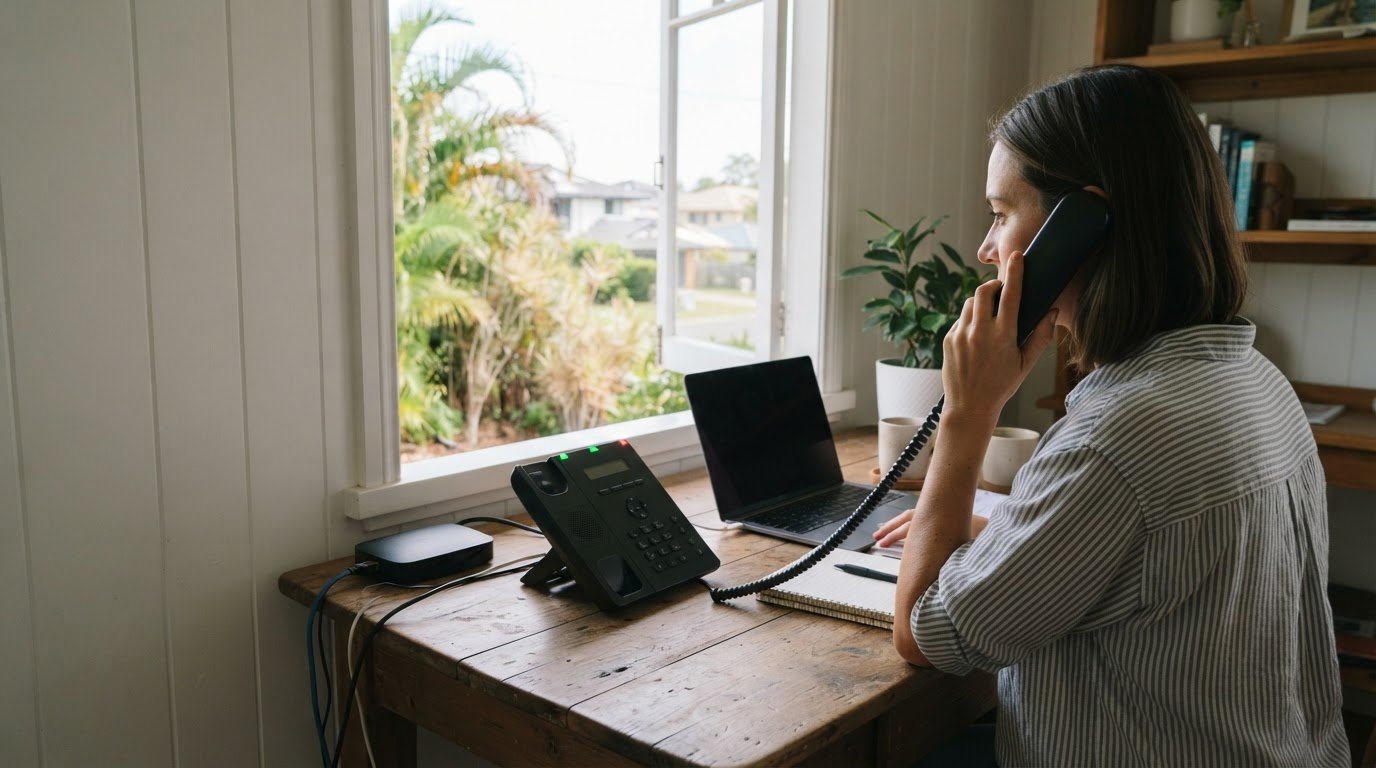
Managing business calls from home on the Gold Coast is simpler when your business number can route calls to the right person, whether they’re working remotely or in the office. Internet-based calling, or VoIP, lets staff make and receive business calls without being tied to a phone at the workplace.
That flexibility helps you stay responsive without making call handling harder to manage. The right setup depends on how your team works, how calls should be answered and whether your internet connection can support clear conversations.
This guide explains how internet-based business phone systems work, what to consider when managing calls remotely, and how call routing can support daily operations. It also covers what to weigh when choosing a system for your Gold Coast business, so you can match the setup to your team and customer-service needs.
Key Takeaways
- Understand how a business phone system can keep your business number accessible when you’re working from home.
- Learn what to consider when calls travel over the internet, including the role of your connection and calling setup.
- Explore ways to handle simultaneous calls so enquiries can reach an available team member.
- See how Business Telecom’s phone system options can support your Gold Coast business’s calling needs.
What Is a Business Phone System?
A business phone system manages business calls through shared numbers, user accounts and call-handling settings. The Australian Bureau of Statistics recorded 625,087 residents on the Gold Coast in the 2021 Census, giving local businesses a substantial community to serve.
Productivity and security features
Useful features include call routing, voicemail, user permissions and call records. Before choosing a system, decide which staff need access and what customer details may appear in messages or records. For privacy, collect only the information your business needs, restrict access and store it securely. Microsoft integration may also matter if your staff use Microsoft tools in their daily workflow.
Support for remote and hybrid teams
A VoIP system can suit an Australian home-based business if its internet connection and devices support the chosen calling setup. Compare providers using consistent criteria, such as remote access, call handling, security controls, support and required integrations. A five-provider comparison is most useful when it reflects your actual work patterns, rather than feature lists your team won’t use.
Call centre and small business needs
A call centre may need queue management, call distribution and reporting across teams. A small business may prioritise a shared number, straightforward user access and clear follow-up responsibilities. A call-answering service handles calls on a business’s behalf, while an in-house receptionist is an employee. The suitable approach depends on call volumes, coverage needs and how much control your staff require.
Home-based call handling options
Virtual receptionist and call-answering services are options for a Gold Coast home business that wants someone else to answer calls. Unlike an in-house receptionist, an external service handles calls on the business’s behalf. If you record calls, define the purpose, limit access and handle recordings carefully. To separate personal and business calls, use a distinct work number or business calling account on your chosen device.
Business calls over the internet
Internet-based calling converts voice into data and sends it through an internet connection. VoIP, or Voice over Internet Protocol, lets a business phone system handle calls without relying solely on traditional phone lines. Depending on the system, staff can use compatible desk phones, computers or mobile devices. A Gold Coast team member could answer the main business number from home, then transfer the caller to a colleague in the office.
Call quality depends on the connection between the caller and the phone service. Wi-Fi coverage, network congestion and other internet use can affect voice clarity. Video meetings or large file uploads may compete for network capacity. Test calls from the locations where staff will work, and note any drop-outs, delays or unclear audio before relying on the setup for customer calls.
Plan how calls should move through your business. An incoming enquiry, for example, could ring one staff member first, then go to another available person or voicemail. A growing business may also need staff to access shared business numbers across different devices. Check how the system handles transfers, voicemail and user access, and whether required integrations work with your existing tools.
Before choosing a setup, map the call journey and consider these practical details:
- Devices: Decide whether staff need desk phones, computers, mobile access or a mix.
- Connection: Test calls where people actually work, including rooms with weaker Wi-Fi.
- Fallback: Decide how the team will respond if the internet connection fails, such as using an agreed mobile contact method.
- Support: Clarify who manages user changes and helps resolve call-quality issues, whether an internal contact or service partner.
A clear plan helps your team handle calls from home with confidence. It also helps you choose a system that fits your call flow, devices and internet setup, rather than paying for features your business will not use.
Handling multiple simultaneous calls
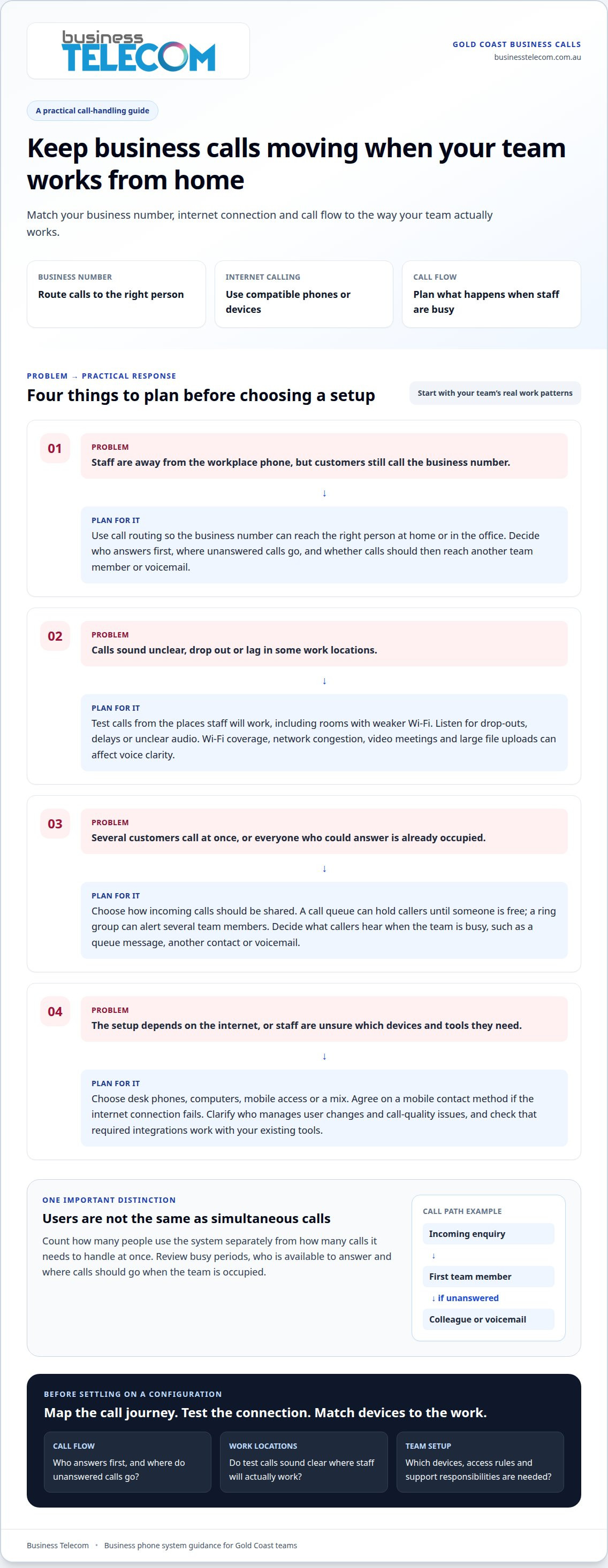
When several customers call at once, your phone system needs a clear plan for each incoming call. Call queues can hold callers until someone is free, while ring groups can alert several team members. These features help a Gold Coast business share incoming calls instead of relying on one person’s phone.
Distinguish the number of people using the system from the number of calls it needs to handle at once. A team may have several staff but only a few simultaneous calls. Review busy periods, how many people are available to answer, and what callers should hear when everyone is occupied. A queue message, another team member or voicemail may suit different situations.
For example, a small service business might direct new enquiries to reception, then send unanswered calls to a nominated colleague. Similarly, trade contractors relying on lead generation for tradies australia need dependable routing to capture valuable homeowner enquiries while working on site. A call centre may need separate sales and support queues, with calls directed according to staff availability. Map these call paths before choosing settings. Unclear routing can make it harder for staff to respond consistently.
Depending on the system and how staff work, calls can be handled on desk phones, computers or mobile devices. Microsoft Teams may form part of a business communications setup, but the calling functions and integrations depend on the configuration. Check how the system handles transfers, queue visibility and user access across the devices your team uses.
Consider your internet connection and any required hardware, too. Multiple active calls use network capacity at the same time, so test call quality during normal work activity. If calls become unclear during video meetings or uploads, review network use and prioritise voice traffic if your equipment allows it. Choose a configuration that matches actual call patterns, not just the number of desk phones.
Before enabling simultaneous call handling, write down who answers first, where unanswered calls go and who manages queue changes. This simple call-flow plan gives staff a consistent process when several enquiries arrive together.
What are the best ways to manage business calls from home on the Gold Coast?
A practical approach to managing business calls from home on the Gold Coast starts with a consistent routine. Set business hours, keep your work number available during those hours and use a clear voicemail greeting outside them. This helps callers understand when to expect a response and keeps work calls from interrupting personal time.
Prepare a short opening script that gives your business name and offers help. For example: “Good morning, Coastal Design, how can I help?” Keep a notepad or secure call log nearby to record the caller’s name, reason for calling and agreed next step. Record only the details needed for follow-up, and store them where other household members cannot access them.
Use a dedicated work area where conversations are easy to hear. Close the door for confidential calls, use a headset in shared spaces and silence personal notifications while speaking with customers. If you need to step away, update your availability or arrange for a colleague to handle urgent enquiries. A brief handover should identify the caller, the issue and the next action.
Build a simple daily call process:
- Before work: Check your business number, voicemail greeting and calendar availability.
- During calls: Confirm the caller’s details and summarise any action they expect.
- After each call: Log the follow-up and assign it to the right person.
- At day’s end: Return outstanding calls or pass them to the agreed contact.
Review the process after a busy day. Note where callers waited, messages went unanswered or handovers stalled, then adjust staff responsibilities or call instructions. If your current setup makes that difficult, discuss a business phone system for your home-based team.
A hosted PBX may suit a home-based team seeking a simple setup. A prompt, clear greeting can help create a positive first impression.
Business Telecom
Business Telecom serves businesses on the Gold Coast. If your current setup makes it difficult to direct calls, separate work and personal numbers or support remote staff, a business phone system or office phone system may better suit your call flow.
Before discussing options, note how calls reach your team, which devices staff use and what should happen when nobody can answer. These details help shape a practical conversation around your business needs, because every team’s call setup is different.
To discuss your Gold Coast business’s requirements, contact Business Telecom.
Plan your next step with confidence
To manage business calls from home on the Gold Coast, match your phone setup to the way your team works. Consider which staff need access to business calls, how callers should be directed and which devices your team prefers. Clear requirements make it easier to choose an option that fits your working arrangements.
When reviewing phone system options, consider how your business can organise communications, whether staff work from home, in an office or across both settings. Start with your current call-handling needs and the changes you want to make.
Contact Business Telecom today to discuss phone system options for your Gold Coast business. A clear plan can help your team approach its next stage of working with greater confidence.
Frequently Asked Questions
Can you prevent me from missing calls?
No phone system can guarantee every call will be answered, but you can identify and address common causes of missed calls. Review call records to see when unanswered calls occur, then adjust staff coverage or opening hours around those periods. For a home-based business, this can reveal whether calls are missed during appointments, breaks or times when the team is unavailable.
How can I set up call forwarding and voicemail for a home business?
Decide which business number customers should call and who is responsible for each incoming message. Set different handling rules for business hours, planned closures and public holidays, then write a greeting for each situation. Agree on who checks messages and assigns follow-up, so voicemails do not sit in a shared inbox without anyone responsible for responding.
What internet speed and equipment are needed for reliable business calls from home?
There is no single internet speed requirement for every home business. Check the phone service’s technical requirements against how many people may call at once and which devices they will use. Confirm that your chosen desk phone or calling software works with the service, and consider whether your router can handle voice traffic alongside business applications. This helps you plan equipment and internet capacity before setup.